Are you charging what you're worth?
Knowing how to price photography means covering your cost of doing business, understanding the value you bring, and setting prices that give you the best profit margin possible, all while staying competitive.
Use this photography pricing calculator to work out profitable rates for your photography business:
ci2ME3wvgFFqvomJt
You've got your number. Now let clients get theirs.
Working out your own rate is half the job. The other half is getting that price in front of clients fast, before they cool off or go shopping elsewhere.
The same kind of tool can sit on your own website as a pricing calculator for your clients. Visitors pick the shoot type, services, and add-ons, see an instant estimate, and leave their contact details as a lead. It runs 24/7, so enquiries come in even while you are mid-shoot.
7sLE6jKKty4CYMAXX
How to price your photography
Let's break down how this calculator works so you understand the workings of setting your photography prices.
We'll go through how to:
Calculate your photography costs
Build your base photography rate
Price different types of photography
Price freelance photography
Automate price quoting from your website
Ready to stop second-guessing your prices and start earning what you deserve? Let's dive in.
Calculate Your Photography Costs
Your photography costs depend on tracking three key elements that shape your pricing structure. Together they make up your cost of doing business: the baseline every price has to cover before you earn a cent of profit.
Equipment expenses
Time and labor tracking
Business overheads
1. Photography Equipment Expenses
Your photography equipment is one of your biggest business investments. However, many photographers forget to factor in the true cost of owning and maintaining their gear when setting prices.
Track Your Equipment Costs
To make sure your rates cover your investment, keep a record of:
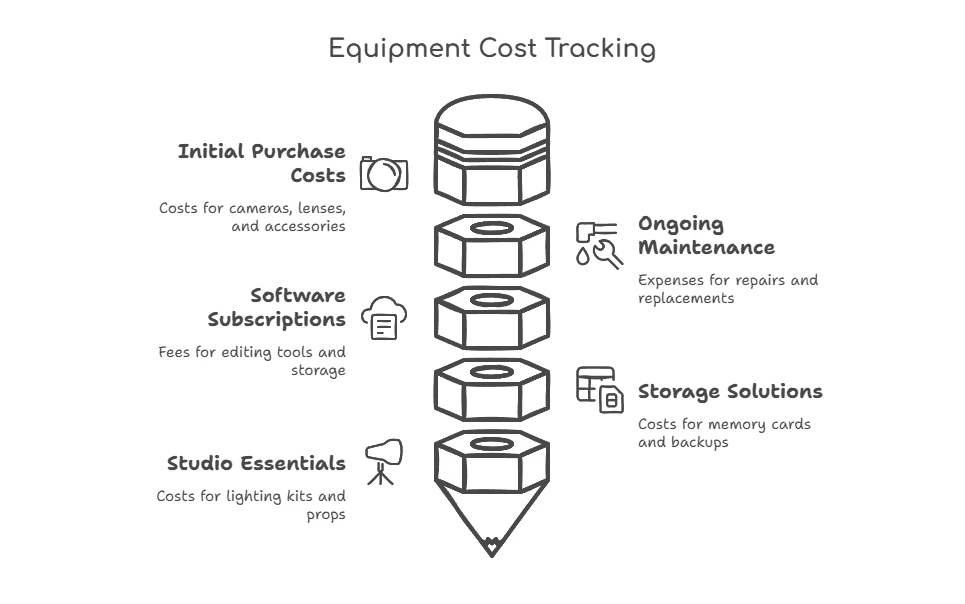
Initial purchase costs: Cameras, lenses, tripods, lighting, and accessories.
Ongoing maintenance: Repairs, sensor cleaning, lens calibration, and battery replacements.
Software subscriptions: Editing tools like Adobe Lightroom, Photoshop, Capture One, or cloud storage.
Storage solutions: High-capacity memory cards, external hard drives, and cloud backups for your digital files.
Studio essentials: Lighting kits, reflectors, diffusers, props, and backdrops.
Plan for Long-Term Upkeep
Professional cameras and lenses need regular maintenance. This can cost you hundreds of dollars per year.
Common expenses include:
Camera sensor cleaning: $50 to $100 per service.
Lens repairs or calibration: $100 to $300 per lens.
Battery replacements: $50 to $150 per battery.
If you shoot frequently, budget for upgrades every 3 to 5 years to stay competitive with industry standards.
Factor These Costs Into Pricing
Photographers often undervalue their pricing because they don't account for depreciation and recurring expenses. Here's how to make sure you're covering costs:
Estimate your total gear investment and divide it over its expected lifespan (a $3,000 camera lasting five years works out to $600 per year).
Add annual software, storage, and maintenance costs.
Factor these costs into your session rates.
2. Photography Time and Labor Tracking
Pricing your photography services correctly starts with understanding how much time you actually spend on a project. Don't just count the hours spent shooting. Several other time-intensive tasks go into delivering a final product.
Break Down Your Time Investment
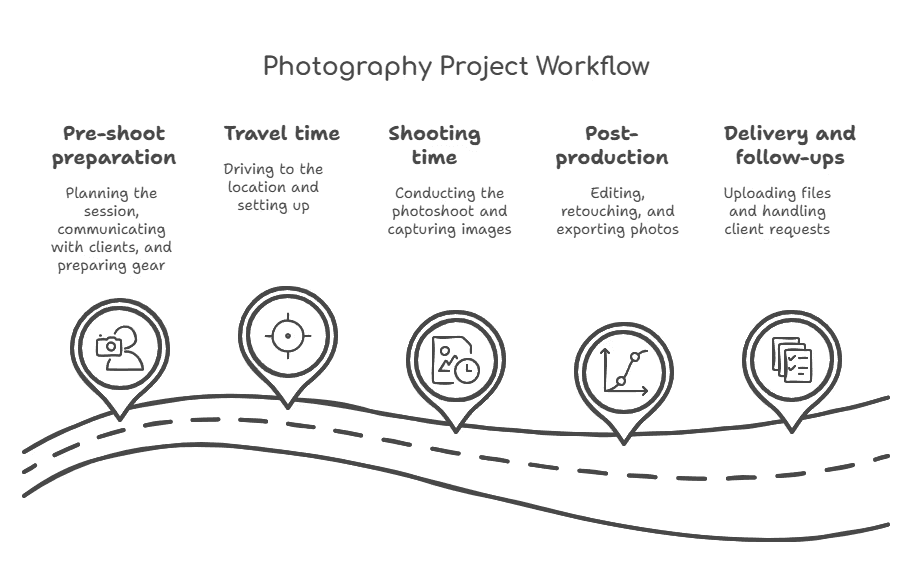
A one-hour photoshoot can take 5 to 6 hours once you account for:
Pre-shoot preparation: Planning the session, communicating with clients, scouting locations, and preparing your gear.
Travel time: Driving to and from the location, setup, and breakdown.
Shooting time: The actual session, which can involve guiding clients, adjusting lighting, and capturing multiple shots.
Post-production: Culling, editing, retouching, and exporting files. Post-processing a single shoot often takes longer than the shoot itself.
Delivery and follow-ups: Uploading files, organizing galleries, making revisions, and handling client requests.
If you're not tracking these hours, you could be undervaluing your work and cutting into your profits.
Use Time-Tracking Tools for Accuracy
To make sure you're pricing correctly, consider time-tracking software such as:
Studio management platforms (HoneyBook, 17Hats, Sprout Studio) let you log project hours, send invoices, and manage client communication in one place.
Basic time-tracking apps (Toggl, Clockify) are great for tracking how long you spend on editing, travel, and admin tasks.
Built-in smartphone timers work if you prefer a simple method. Log your time manually using your phone's timer and notes app.
Factor in Additional Labor Costs
If you work with an assistant, second shooter, or editor, their wages belong in your pricing. Depending on experience, an assistant might charge $15 to $50 per hour, while a skilled photo editor may cost $50 to $150 per project.
Factor in all your labor expenses so your pricing reflects the real value of your time and expertise while keeping your business profitable.
3. Photography Business Overheads
Beyond equipment and labor, business overhead is crucial in determining your photography pricing. Overhead includes all the fixed and variable business expenses of keeping your business running, whether or not you book a job.
How to Calculate Overhead Costs
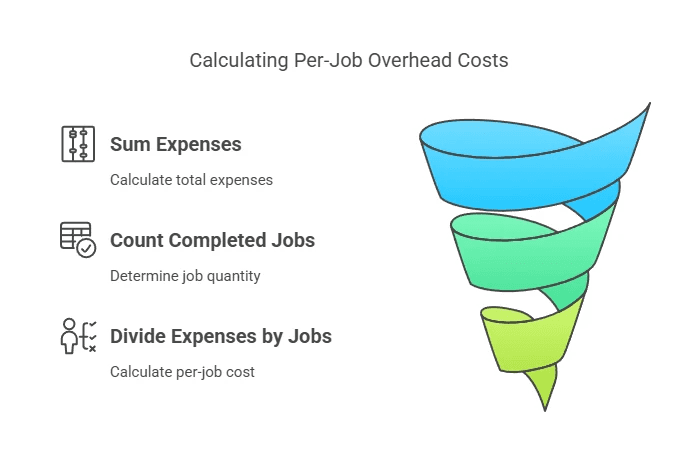
This formula works out expenses per job:
Add up last year's total business expenses (or take the figure from your tax return).
Divide by the number of completed jobs.
The result is your per-job overhead cost, which should be factored into your pricing.
For example, if your annual expenses total $12,000 and you completed 100 sessions, your overhead per job is $120.
Common Overhead Costs for Photographers
Overhead usually falls into two categories.
Fixed costs (stable, recurring expenses)
These stay consistent, regardless of how many clients you have:
Studio rent or home office expenses: $3,000 to $10,000 per year.
Business insurance: covers liability and equipment protection ($300 to $2,000 yearly).
Website and hosting: essential for showcasing your work and booking clients ($100 to $500 per year).
Software subscriptions: studio management tools, accounting software, and online galleries.
Taxes: set money aside for your tax rate so a bill at year-end doesn't eat into your margin.
Variable costs (fluctuate based on workload)
These depend on the number of jobs you book:
Travel expenses: gas, mileage, and lodging for on-location shoots.
Equipment upgrades and repairs: new cameras, lenses, or lighting gear.
Marketing and advertising: paid ads, print materials, and social media promotion.
Outsourcing costs: assistants, second shooters, or freelance editors.
Building Your Base Photography Rate
There are a few pricing models, or pricing strategies, you can use when pricing photography. The cost-plus model gives you control over how much profit you make and is the most popular strategy for photographers.
But other models may suit your particular business better. Here are the pricing strategies worth considering.
The Cost-Plus Pricing Model
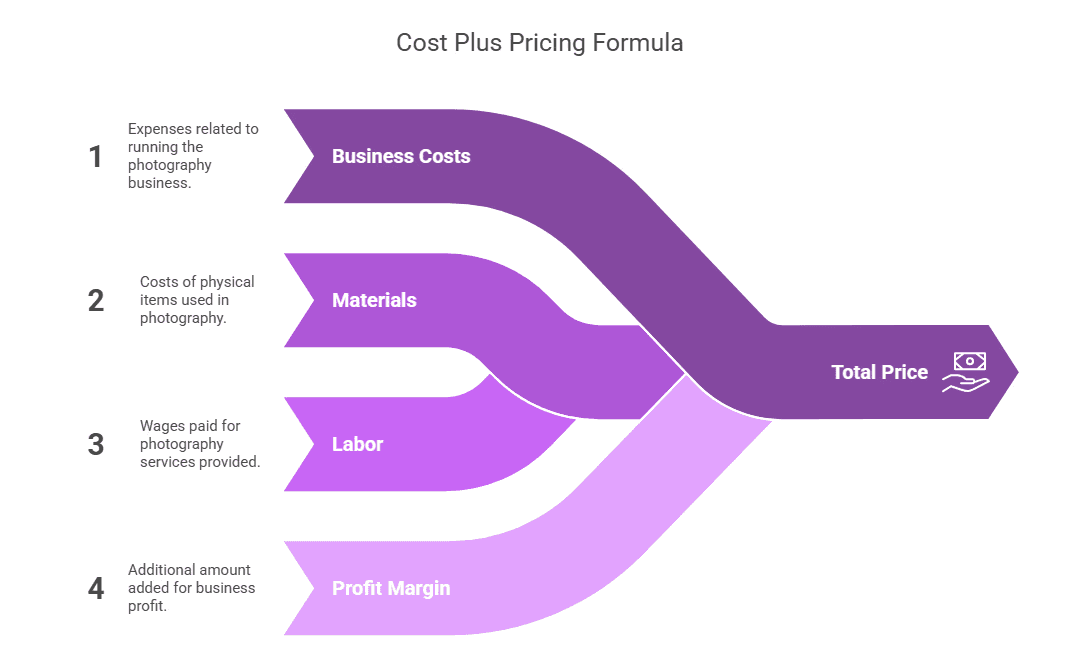
This is a step-by-step method for setting your base photography rate. It looks at both your business costs and the profit margin you want.
The Core Pricing Formula
The foundation of cost-plus photography pricing is this basic formula:
Total Price = (Business Costs + Materials + Labor) + Profit Margin
For example, a portrait session with total costs of $170 and a 30% profit margin target would be charged at $221.
Given the values:
Business Costs + Materials + Labor = $170
Profit Margin = 30% of total costs
First, calculate the profit margin:
Profit Margin = 170 x 0.30 = 51
Now apply the formula:
Total Price = 170 + 51
Total Price = $221
Profit Margin Calculation
Industry standards suggest 25% to 35% profit margins to keep your business growing. Here's how to work out your profit margin over a year:
Calculate your total cost (equipment, labor, overhead).
Add your desired profit percentage.
Divide by the number of projected shoots.
Pros:
✔ Covers all costs: Pricing includes equipment, labor, and overhead expenses.
✔ Predictable profits: A set markup guarantees a consistent profit margin.
✔ Easier to justify pricing: Based on tangible business costs rather than market perception.
✔ Scalable: Works well as your business grows and costs change over time.
Cons:
✖ Doesn't account for perceived value: Clients may not be willing to pay based purely on your costs.
✖ Less competitive flexibility: If competitors charge based on value, you might end up overpriced or underpriced.
✖ Ignores demand fluctuations: Doesn't adapt to market trends or client expectations.
Value-Based Pricing
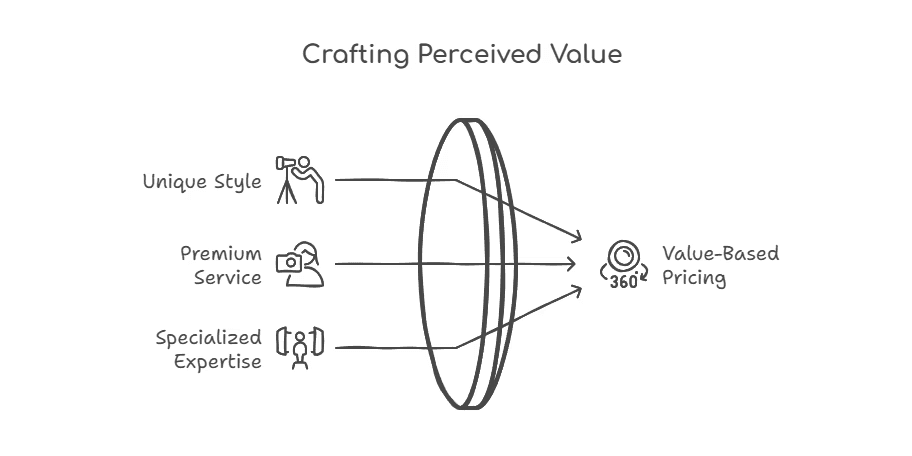
Instead of basing prices solely on costs, this model sets prices on the perceived value to the client. It works best when you know your target market well and can show why your work is worth a premium.
Example: A luxury wedding photographer may charge significantly more than a local event photographer, even with similar costs, because the perceived value is higher.
This model works best for photographers who can show a unique style, premium service, or specialized expertise.
Pros:
✔ Higher earning potential: Clients pay on perceived value, not just costs.
✔ Works well for premium services: High-end photographers can charge significantly more.
✔ More competitive edge: Positions you as a specialist rather than competing on price.
Cons:
✖ Harder to justify pricing: Clients may question why one session costs more than another.
✖ Requires strong branding: Success depends on your reputation and marketing.
✖ Not ideal for beginners: New photographers may struggle to justify premium pricing.
Competitive Pricing
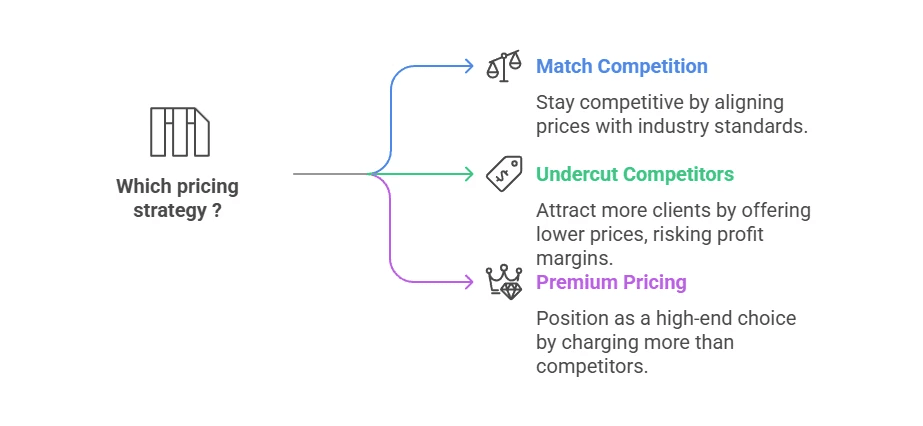
Prices are set based on what competitors in your market charge.
Three approaches:
Match the competition: Charge similar rates to stay in line with the industry.
Undercut competitors: Charge slightly lower to attract more clients (the risk is lower profit margins).
Premium pricing: Charge more than competitors to position yourself as a high-end choice.
Pros:
✔ Easy to implement: Needs minimal calculation. You just compare competitor pricing.
✔ Good for entering the market: Helps new photographers align with industry standards.
✔ Flexible: You can adjust prices to match, undercut, or position as premium.
Cons:
✖ Doesn't account for personal costs: You might price too low to stay profitable.
✖ Race-to-the-bottom risk: Undercutting competitors can erode profitability.
✖ Ignores perceived value: Clients may still choose a competitor based on brand, experience, or service.
Hourly or Time-Based Pricing
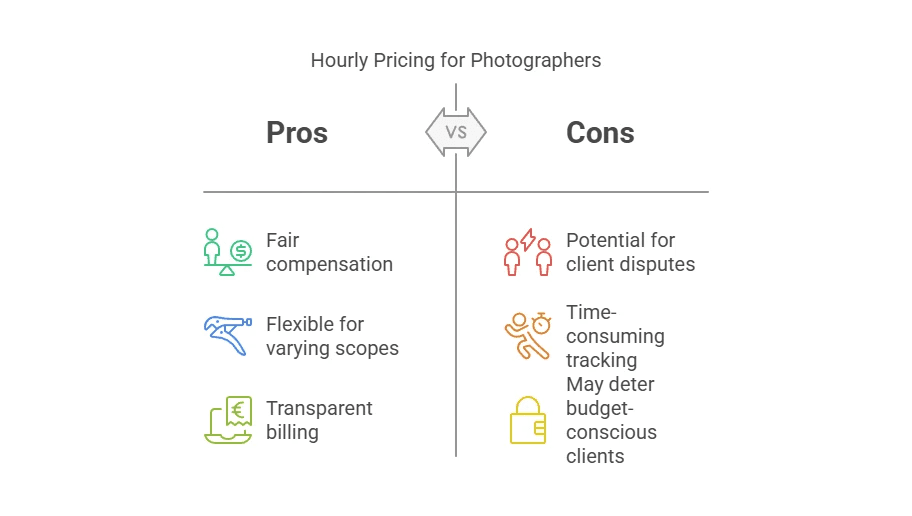
Charges are based on the hours worked, including shooting, travel, and editing.
For example, a photographer charges $100 per hour, covering both shooting and post-production.
This works well for commercial photography shoots, events, and assignments where the scope can vary. It makes sure you're paid fairly for all the time invested in a project.
What Should You Charge?
Photographers typically set their hourly rate by experience level:
Student: $35 to $90 per hour.
Semi-professional: $50 to $150 per hour.
Professional: $75 to $300 per hour.
Top professional: $250 to $500 per hour.
Your final rate can also depend on:
Complexity of the shoot: More production, lighting setups, or editing time increases costs.
Location: Big cities often command higher rates than smaller towns.
Client expectations: Some clients need extensive revisions, prints, or commercial licensing.
Pros:
✔ Fair for labor-intensive work: You're paid for all the time spent on a project.
✔ Easy for custom jobs: Works well for events, corporate photography, and unpredictable shoots.
✔ Prevents underpricing: Reflects the real effort each job takes.
Cons:
✖ Harder to scale: Your earnings are limited to the hours you work.
✖ Clients may push back: They might not see the value of behind-the-scenes work.
✖ Doesn't account for expertise: A highly skilled photographer may take less time but produce better results.
Package Pricing
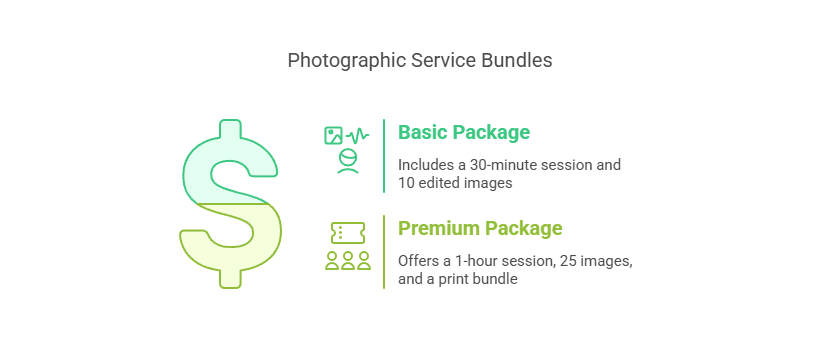
Instead of charging per hour or per image, you offer bundled packages that include a set number of photos, edits, and extra services.
For example, a portrait photographer might offer:
Basic package: 30-minute session, 10 edited images, $250.
Premium package: 1-hour session, 25 images, print bundle, $500.
Packages make pricing clearer and more appealing for clients while keeping your work profitable.
Pros:
✔ Simplifies pricing for clients: Clear, upfront costs with no surprises.
✔ Increases perceived value: Clients get a full package rather than worrying about hourly rates.
✔ Encourages upselling: Lets you add premium tiers with prints, albums, or extra edits.
Cons:
✖ Hard to price correctly: Needs careful estimation of time, materials, and labor.
✖ Might undervalue work: If editing runs long, profits can shrink.
✖ Less flexibility: Clients may request edits or services beyond the package limits.
Which Pricing Model Is Best?
Best for beginners: cost-plus or competitive pricing.
Best for high-end photographers: value-based pricing.
Best for custom work and events: hourly pricing.
Best for ease of booking: package pricing.
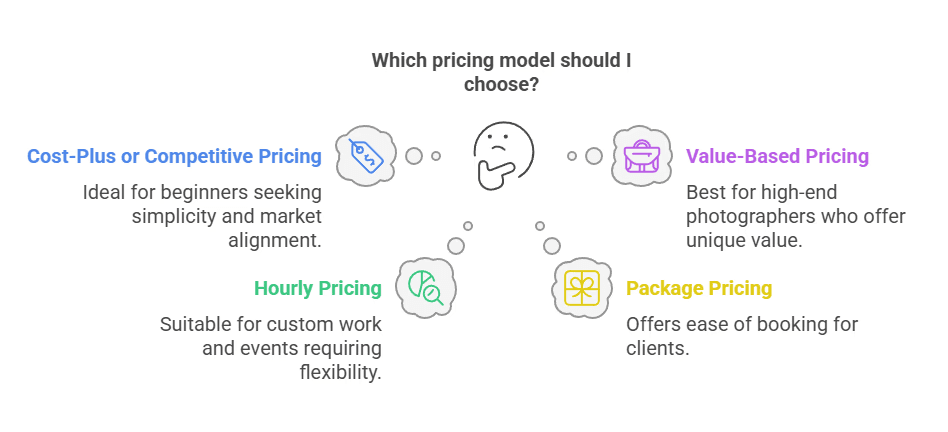
Most photographers combine more than one model, so your pricing strategy is rarely a single choice. You might use hourly pricing for events, package pricing for portraits, and value-based pricing for commercial work.
Pricing Different Types of Photography
Your pricing strategy also shifts with the type of photography you do. Rates and pricing structures vary a lot across the main types of photography, so it helps to set them separately rather than using one blanket price.
Portrait photography: Usually priced per session or as packages, with the final figure shaped by session length, number of edited images, and prints.
Wedding photography: Commands some of the highest rates in the industry. Wedding photographers carry more pressure, longer days, and heavy post-production, and the price should reflect that.
Commercial photography: Often priced per project or per day, and usually includes a licensing fee based on how and where the client uses the images.
Product photography: Frequently priced per image or per batch, with extra charges for styling, retouching, and delivery of the final digital files.
Professional photographers usually set a different rate card for each type they offer, and a quote calculator on your site makes those differences easy for clients to see.
Freelance Photographer Pricing
As an independent photographer, you pay yourself an hourly rate AND take a profit margin.
With the cost-plus pricing model, you treat your labor as a business expense separate from profit. This ensures that:
You cover your time fairly: Your hourly rate compensates for your work.
Your business grows: The profit margin lets you reinvest and scale.
How This Works in Pricing
1. Pay Yourself for Labor (Your Salary)
Your hourly rate should cover the time you spend on:
Shooting: Time on-site with clients.
Editing and post-production: Culling, retouching, and exporting files.
Client communication: Emails, calls, and meetings.
Admin and marketing: Scheduling, social media, and business tasks.
This makes sure you're paid for your actual work hours, not just the final product.
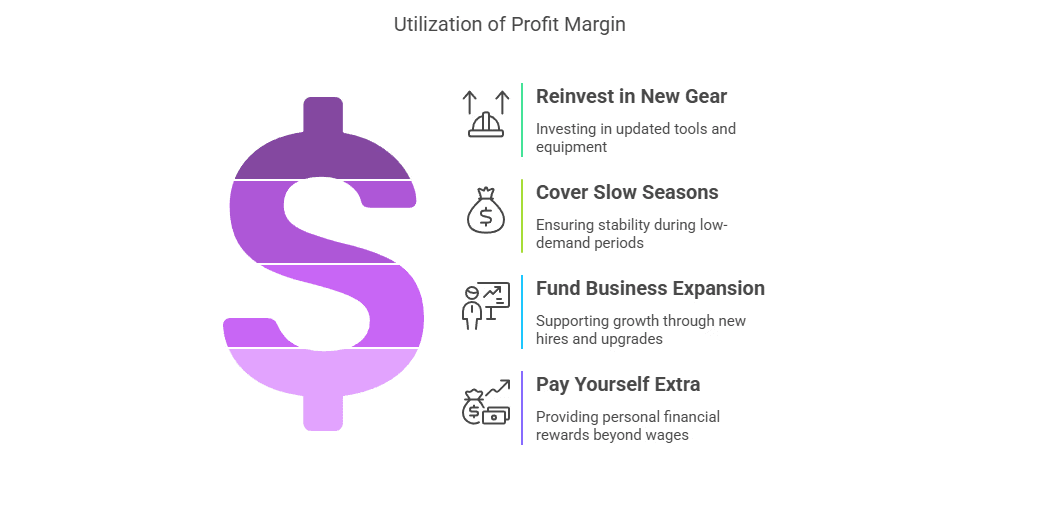
2. Add a Profit Margin (For Business Growth and Reinvestment)
Once labor costs are covered, a profit margin (typically 25% to 35%) is added to:
Reinvest in new gear, advertising, and software.
Cover slow seasons.
Fund business expansion, like hiring an assistant or upgrading equipment.
Pay yourself extra beyond your labor wage.
Example: Sole Photographer Pricing Breakdown
Imagine you're a portrait photographer:
Business costs per job = $50 (rent, insurance, software, website)
Materials = $20 (equipment depreciation, storage, prints)
Labor (5 hours x $50 per hour) = $250
Subtotal before profit = $320
Profit margin (30%) = $96
Total price charged to client = $416
This means:
$250 covers your personal labor as a sole photographer.
$96 is business profit for reinvestment and financial stability.
Key Takeaways
✔ Labor and profit are separate: Paying yourself a fair wage doesn't mean your business is profitable.
✔ Profit margin builds your business: It covers growth, reinvestment, and a financial cushion.
✔ Skipping profit margins limits growth: Without it, you're just covering costs and won't scale.
Score has free resources to help you price and scale your business.
Setting Up Automated Price Quotes
You can have perfect pricing and still lose the job. If a potential client has to email you and wait a day for a number, plenty of them will book the photographer who replied first.
That is the gap an automated quote closes. Connecting your pricing to an instant quote calculator on your website turns interest into qualified photography leads while you get on with shooting and editing.
Why a Website Quote Generator Wins More Jobs
A photography pricing calculator on your own site works for you 24/7. Clients get an instant estimate whenever they want one, day or night, without a single email from you.
It also makes your pricing structure clear. Instead of reading through every service you offer, visitors pick what they need from a few simple options and watch the price update in real time.
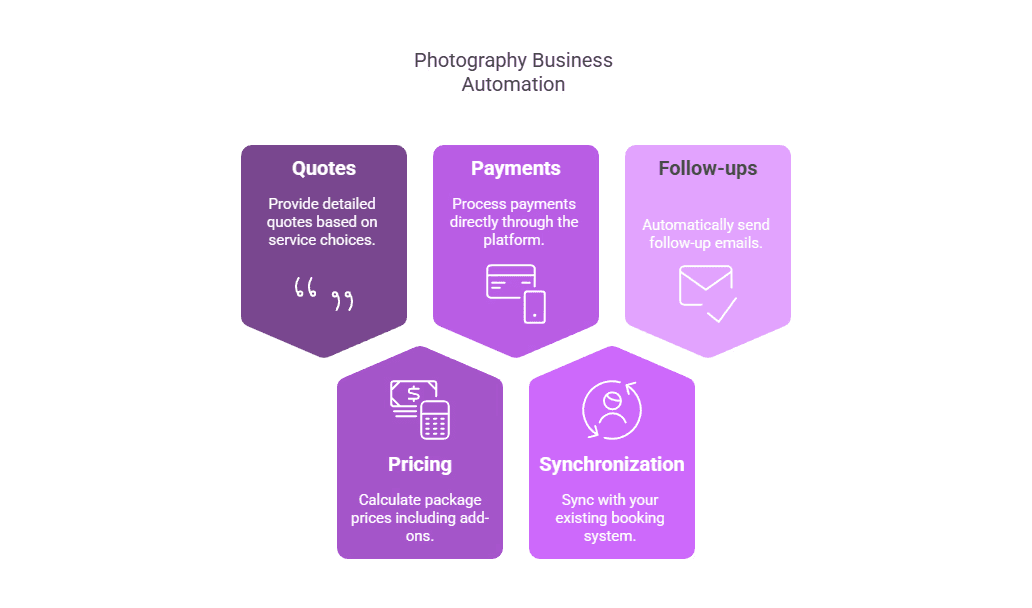
Convert_ has a suite of tools for photographers to build smart pricing forms that:
Give detailed quotes based on service choices.
Work out package prices with add-ons.
Take credit card payments directly through the platform.
Sync with your booking system.
Send follow-up emails automatically.
See It In Action
Here is a live example. This is the kind of client-facing quote calculator you could have on your own site:
7sLE6jKKty4CYMAXX
Like this? Build your own in minutes.
Start from the photography quote template, change the services and prices to match your rate card, then embed it on your site. No code, no developer.
Start with the photography template and free Convert_ account.
Take Control of Your Photography Pricing
Pricing your photography services doesn't have to be a guessing game. With a structured approach, you can stay profitable and competitive.
Calculate your costs: Track equipment expenses, labor, and overhead to find your cost of doing business.
Choose the right pricing model: Cost-plus, value-based, hourly, or package pricing can each fit different goals.
Price by type: Set separate rates for portrait, wedding, commercial, and product photography.
Automate your quoting: A photography pricing calculator on your website generates instant quotes and streamlines bookings.
See how Rift Photography are scaling their business with an automated lead-to-booking process.
Turn your pricing into booked jobs.
You've done the hard part and worked out what your photography is worth. Now make it effortless for clients to say yes. Build a photography pricing calculator for your own site, capture every enquiry as a lead, and stop losing jobs to slow quotes.
Build your photography calculator free — no credit card needed.
Run your numbers, set your rates with confidence, and start charging what your work is worth.